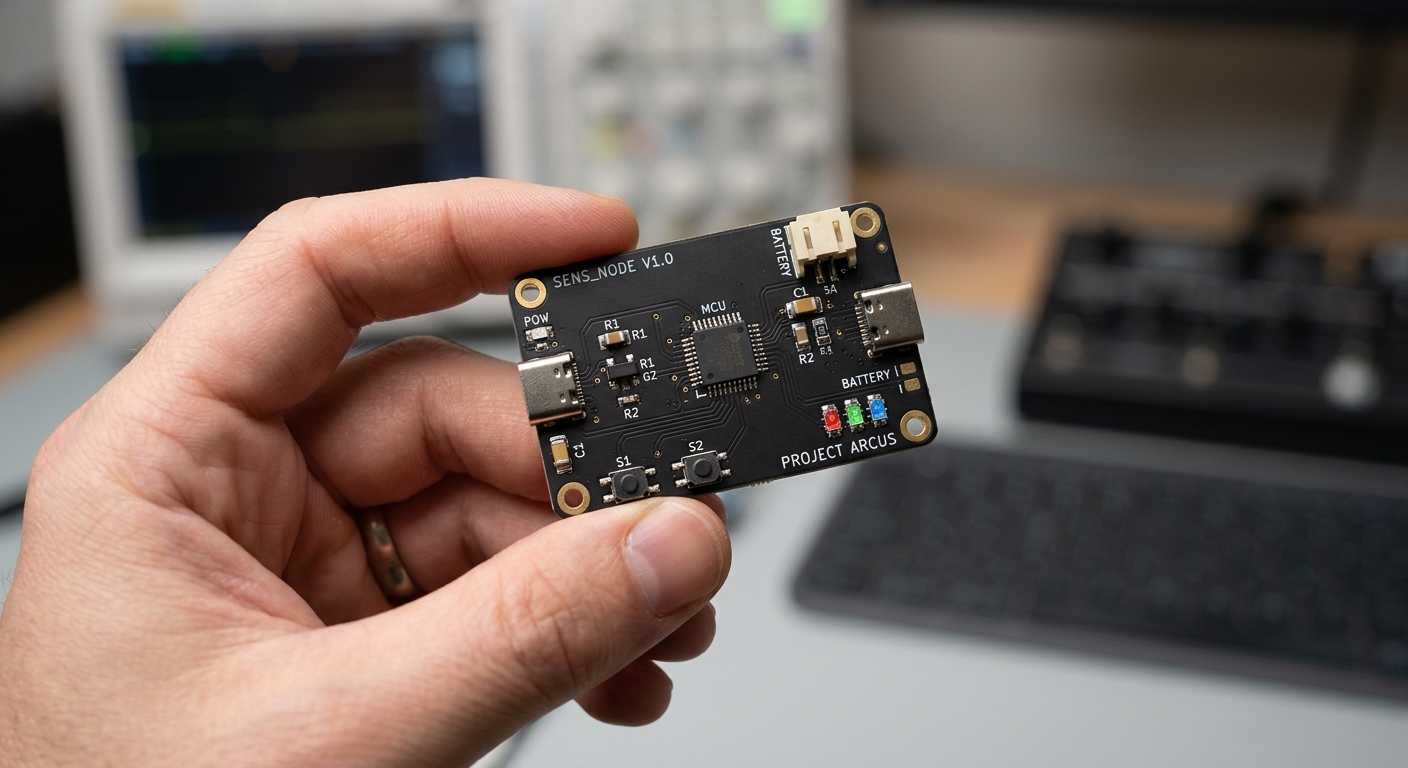
You have an idea for a gadget. Maybe it's a sensor for your garden, a controller for something you sell, or the guts of a device you want to show investors. You know it needs a custom circuit board (PCB). But you don't know what a footprint is, and you'd rather not find out the hard way.
Good news: if you're wondering how to make a circuit board with no engineering background, you have more real options in 2026 than ever. Some cost almost nothing but eat your time. Some cost thousands but take almost none of it. Here's an honest breakdown of seven paths, with costs and timelines, so you can pick what fits.
Full disclosure: I build Tovan, one of the tools on this list. I'll tell you when it's the right call and when it isn't.
Quick answer: If you're still testing an idea, start with a dev board like an Arduino. If you want to learn, use free software like KiCad and lean on its huge community. If you have budget, hire a freelancer ($500 to $1,500 for a simple board). If you want a custom board and enclosure without learning electronics or dealing with parts and manufacturers, an AI PCB design tool like Tovan handles the whole thing. Jump to the comparison table.
What making a circuit board actually involves
Every path below goes through the same steps. What changes is who does them.
Pick the parts. The microcontroller, sensors, battery charger, and connectors.
Draw the schematic. The wiring diagram showing how everything connects.
Lay out the PCB. Place the parts on a physical board and route copper traces between them.
Source the parts. Find components that are actually in stock, in the right package, at a sane price.
Manufacture and assemble. A fab house like JLCPCB or PCBWay prints the board and solders the parts on.
Write the firmware. Most boards with a microcontroller need code to do anything. Keep this in mind, because a lot of options skip it.
Option 1: Start with a dev board (no custom PCB yet)
A dev board (short for development board) is a ready-made circuit board built around a microcontroller, the tiny computer that runs your code. It has USB, power, and pins broken out so you can plug in sensors, buttons, lights, and motors with jumper wires. No soldering or board design required.
Before you design anything custom, ask whether you need to yet. An Arduino or ESP32 dev board plus a few plug-in modules can prove out most ideas.
The big perks go beyond the hardware:
The software comes with it. Arduino ships with the free Arduino IDE, where you write code, click upload, and your board runs it. ESP32 boards work in the same environment. Thousands of ready-made libraries mean you rarely start from scratch.
The community is massive. Whatever you're trying to build, someone has probably built something close and posted about it. The Arduino Forum, Reddit, and thousands of YouTube tutorials make it very hard to get truly stuck.
AI can write the code for you. You don't need to be a programmer anymore. Describe what you want your board to do to ChatGPT, Claude, or Gemini, and it can write most of the Arduino code for you. Because Arduino code is so widely shared online, AI models are especially good at it. Paste in any error messages and it'll usually help you fix those too.
Cost: $20 to $100 in parts
Time: A weekend to a couple of weeks
Best for: Testing whether your idea works at all, and learning the basics of electronics and code (with AI doing a lot of the heavy lifting)
Downsides:
It wasn't made for your use case. A dev board is built to do a little bit of everything for everyone. You'll often find it's missing something you need, has stuff you don't, or the modules that plug into it don't behave quite the way you want your device to work. Getting close is easy. Getting exactly right can be hard.
Bulky, messy wiring, and not something you can sell or fit in a clean enclosure
If you haven't validated the idea yet, start here. A custom board is the second step, not the first.
If you have already created a prototype on a dev board and are ready to make a pcb, read this.
Option 2: Design a PCB yourself with KiCad or EasyEDA
KiCad is free, open source, and used by plenty of pros. EasyEDA is free, runs in your browser, and ties into a parts catalog, which makes it friendlier for beginners.
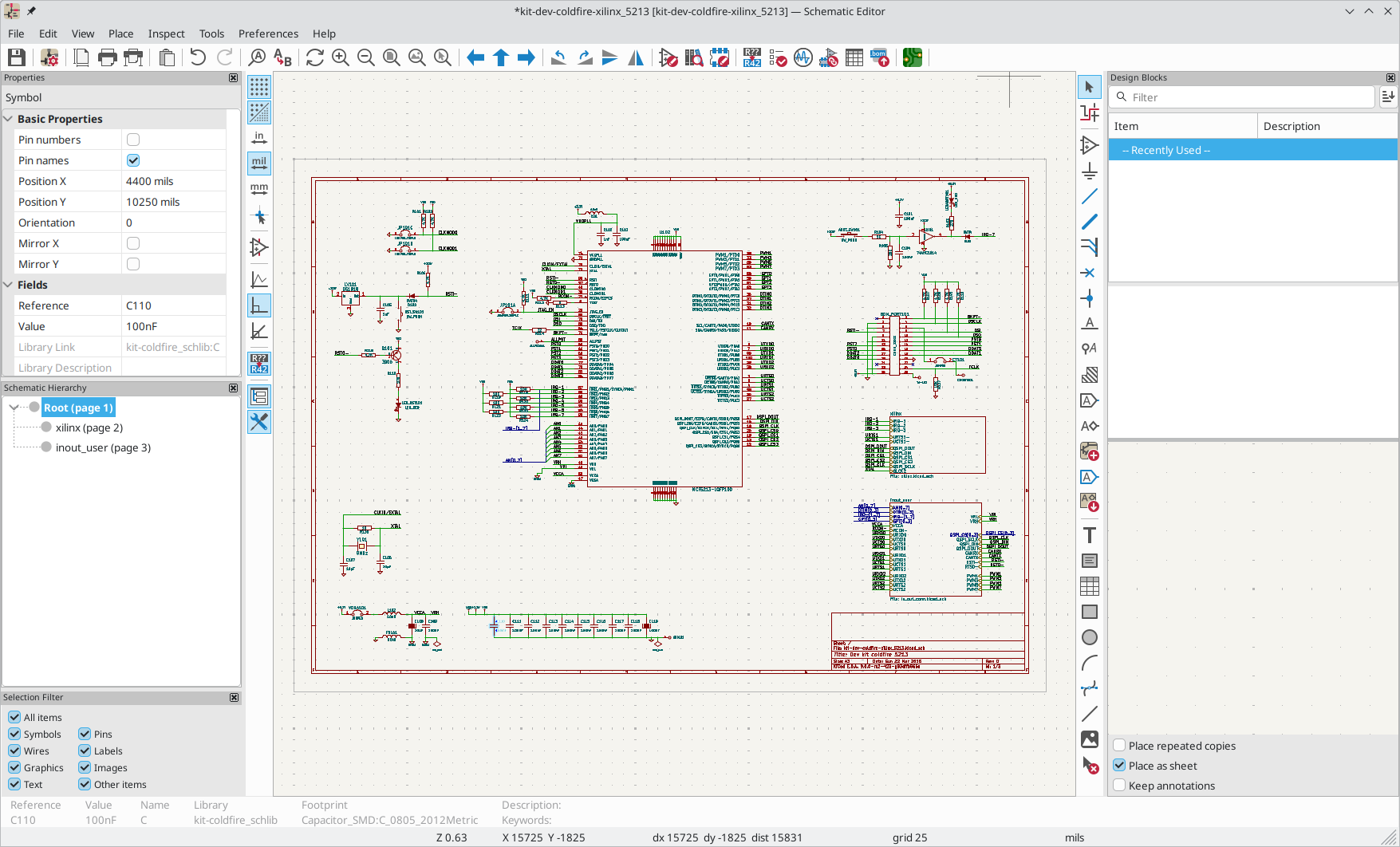
KiCad User Interface
Like Arduino, both have a huge support network. The KiCad forum is active, and YouTube is packed with beginner tutorials that walk you through a full first board step by step. If you hit a wall, someone has usually hit it before you.
Cost: $0 for software. Budget $50 to $250 for manufacturing, since first boards often need a second or third revision.
Time: Expect 40 to 100+ hours to get a simple first board right, spread over one to three months. Some people learn the software in about five days. The electronics knowledge behind it (choosing parts, reading datasheets, not frying your chip) takes longer.
Best for: People who want to understand their hardware deeply or plan to make lots of boards
Downsides:
Steep learning curve, and mistakes only show up after you've paid for boards and waited for shipping
Reading datasheets is a pain. Every part comes with a datasheet, often 30 to 100+ pages of dense specs, pinout tables, and recommended circuits written for engineers. Miss one line (a pin that must be pulled high, a max voltage, a required capacitor) and your board won't work. You'll be reading a lot of them.
You probably won't get it right the first time. My own first PCB took several rounds because of simple mistakes: a backwards footprint here, a missing connection there. Each fix means another order and another wait. That's normal, but plan your budget and timeline around it.
You may end up soldering parts yourself. Assembly services don't stock every part, and paying for assembly on tiny runs adds up. Plenty of DIY builders end up hand soldering some or all of their components, which is its own skill (and tiny surface mount parts are no joke).
Sourcing parts is hard. The part you designed around might be out of stock, discontinued, or only sold in reels of 3,000. Swapping it can mean redoing part of your layout.
Ordering is its own learning curve. Manufacturer order pages ask about board thickness, surface finish, solder mask, via tenting, BOM and placement files, and part rotations. It's easy to finish a design and then stall at checkout.
Read this post on whether or not we think you still need to learn KiCad.
Option 3: Hire a freelance PCB designer
Upwork and Fiverr have lots of PCB designers. You describe what you want, they design it.
I haven't hired a freelancer for board design myself, so the numbers and tradeoffs below come from published rates and what I've heard from others.
Cost: Upwork's hiring guide puts simple two-layer boards at $500 to $1,500, with most hourly rates between $25 and $60.
Time: Roughly 2 to 4 weeks including back and forth, plus 1 to 2 weeks for manufacturing
Best for: A clearly defined board when you'd rather spend money than time
Downsides: Quality varies a lot. You have to explain your idea well enough for someone else to build it, and you may not be able to tell a good design from a bad one until it arrives. Many freelancers hand you design files and stop there, so sourcing and ordering can still land on you. Firmware is usually a separate job.
Tip: Make the design files (schematic, layout, and BOM) part of the deal so you're not locked in to one freelancer, and ask whether they'll help place the order.
Option 4: Hire an electronics design firm
A design firm gives you a team, formal design reviews, and accountability. Most will handle sourcing and manufacturing for you too.
Same caveat here: I haven't worked with a design firm personally, so these figures come from published pricing guides.
Cost: US and UK boutique firms quote around $1,500 to $4,000 just for a simple two-layer layout. Full development with firmware, enclosure, and certification can run $10,000 to $75,000+.
Time: Several weeks to several months
Best for: Boards headed for real production, anything needing FCC or safety certification, and funded startups
Downsides: Expensive for a first prototype when you're still figuring out what you want
Option 5: Use an AI copilot inside a PCB design tool
Tools like Flux put an AI assistant inside a full browser-based PCB editor. It can suggest parts, explain concepts, and help with wiring.
Cost: Paid plans start around $20 per editor per month, with AI usage metered on top. Pro tiers run $140+ per month.
Time: Can be faster than learning KiCad cold, but you're still working in a traditional editor
Best for: Engineers, or people actively learning, who want to move faster
Downsides: In my experience, results haven't lived up to the pitch yet. The AI can speed up small tasks, but it often struggles to carry a full design through, so you still need to understand schematics and layout to direct it and catch its mistakes. AI usage is metered, so costs can climb quickly once you're relying on it for real work. Sourcing and ordering are still mostly on you.
Option 6: Ask a frontier AI model to design it
The latest general AI models (like ChatGPT, Claude, and Gemini) are surprisingly capable at electronics. With the right setup you can ask one to pick parts, write out a schematic as code or netlist files, and even attempt a layout.
Cost: A chat subscription runs about $20 to $200 per month. Having it build a PCB is very token intensive and require the SOTA model to achieve meaningful results.
Time: Hours of prompting, checking, and re-prompting per board, plus manufacturing time
Best for: Tinkerers comfortable with AI tools who want to experiment and don't mind rough edges and multiple iterations.
Downsides: General models don't come with the specialized tools a board needs. They can't natively autoroute traces, run design rule checks, verify footprints against real parts, or confirm stock. That means results vary a lot, errors are easy to miss, and you'll likely need KiCad skills to finish and check the design. Sourcing and ordering are still all on you.
Option 7: Describe your board in plain English with Tovan
This is what I build. You describe the board you want ("a battery-powered sensor that logs temperature and sends it over WiFi"), and Tovan's AI agent handles the full pipeline: it picks real, in-stock parts, draws the schematic, lays out and routes the PCB, and runs design checks. It can also generate a custom-fit enclosure made to house your exact board.
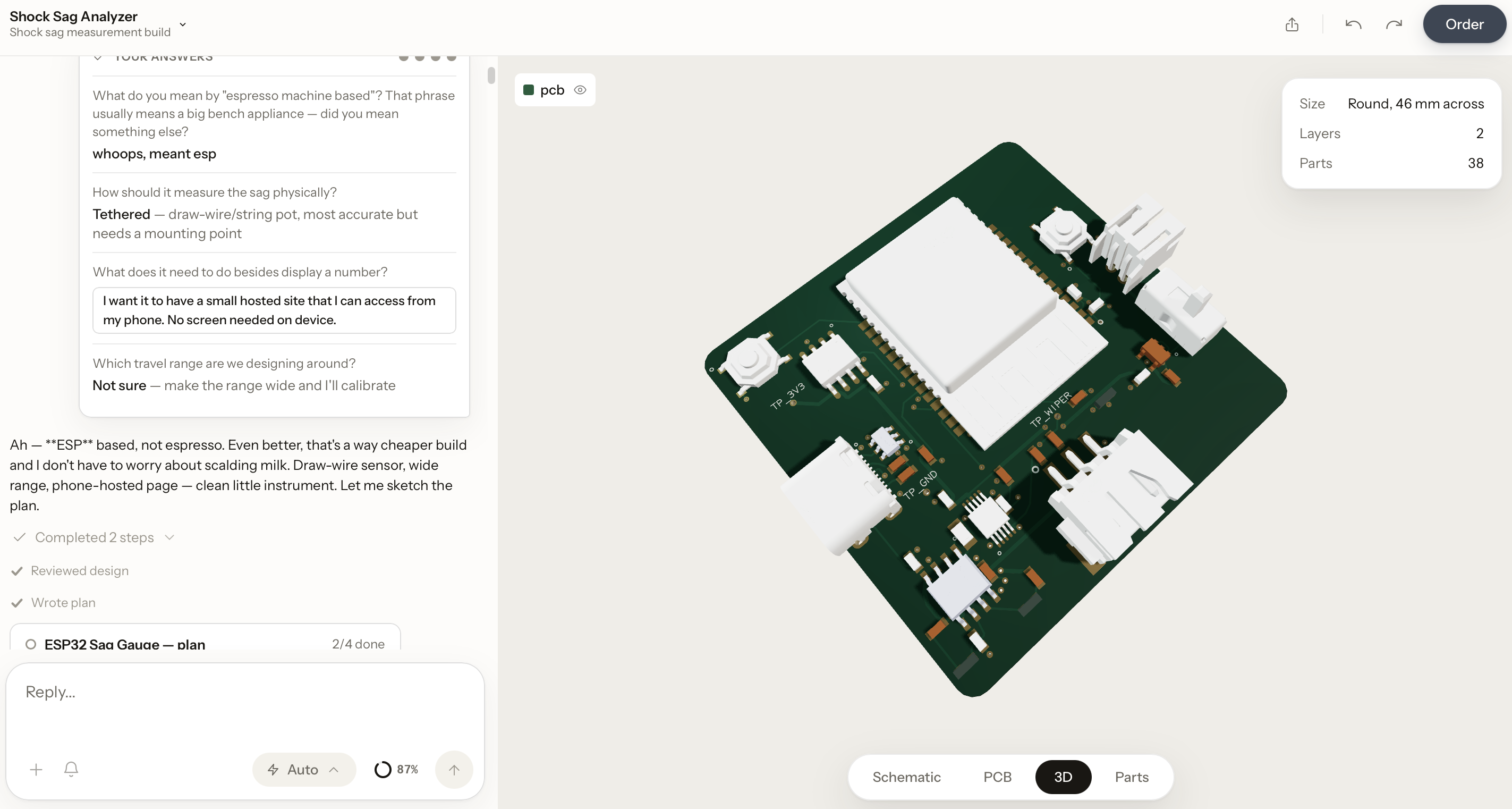
Tovan User Interface
Before you spend a dime, Tovan models your board and enclosure together in 3D, so you can spin it around and see exactly how everything looks and fits before ordering.
Then you skip the two parts that stall a lot of DIY projects. Tovan handles all the part sourcing, and you order everything, the assembled board and the enclosure, directly through Tovan. No manufacturer order forms, no hunting for parts, no guessing at settings.
And when your boards show up, Tovan generates a bring-up guide: a step-by-step checklist for safely powering up your board and confirming the basics work, so you're not staring at a fresh board wondering where to start.
Unlike a general AI model, Tovan's agent has purpose-built tools for placement, routing, and error checking, so it isn't just guessing at a layout.
Cost: Free to try. Pro is $20 per month. Boards and enclosures are priced per order when you check out.
Time: A design in hours instead of weeks, then boards and enclosure shipped to your door with a bring-up guide ready to go
Best for: Non-engineers and founders who want a real custom board and enclosure, previewed in 3D, without learning electronics, sourcing parts, or navigating manufacturers
Downsides, honestly: AI can still pick a wrong part or miss something, so take the design review and bring-up guide seriously and double-check before ordering. It handles simple to moderately complex boards (up to 4 layers), but it's not the right tool for high-speed, RF-heavy, or certification-bound designs. For those, hire a firm. Update, October 2026: it now writes and tests firmware too, in beta. Here's how it works.
Take a look at this getting started guide.
How much does it cost to manufacture a PCB?
If you're ordering on your own (options 2, 3, 5, and 6), here's what a small, simple board from a low-cost fab like JLCPCB looks like:
Bare boards: Often $2 to $5 for 5 simple two-layer boards
Assembly: Setup starts around $8 on the economic tier, plus a small per-joint fee and the cost of the parts. Most simple assembled prototype runs land around $30 to $100 before shipping.
Shipping and duties: Production takes 1 to 3 days. Under JLCPCB's March 2026 US tariff policy, US orders ship with duties prepaid, and those fees can add 35% or more. Check the final total at checkout.
The hidden hard parts: sourcing and ordering
The price is the easy part. What trips up first-timers:
Datasheets are dense. Choosing and wiring a part correctly means digging through pages of engineering specs to find the few lines that matter.
Parts go out of stock. A board is only buildable if every part on it is available. One missing chip can hold up the whole order or force a redesign.
Order forms assume you know the lingo. Layer count, copper weight, surface finish, BOM formats, pick and place files, part rotation corrections. Get one wrong and your boards come back wrong, or not at all.
Enclosures are a separate project. Even with working boards in hand, you still need a case that fits them, which usually means learning CAD or hiring someone else.
Budget time for these, or pick an option that handles them for you.
PCB cost and time comparison
Dev board (Arduino, ESP32)
Cash to first working board: $20 to $100
Your time: Days
Skill needed: Low
Sourcing and ordering on you: No
Custom board: No
DIY (KiCad / EasyEDA)
Cash to first working board: $50 to $250 (often multiple revisions)
Your time: 40 to 100+ hrs over 1 to 3 months, plus possible hand soldering
Skill needed: High (you'll learn it)
Sourcing and ordering on you: Yes
Custom board: Yes
Freelancer
Cash to first working board: $550 to $1,650
Your time: A few hours briefing, 3 to 6 weeks total
Skill needed: Low to medium
Sourcing and ordering on you: Often
Custom board: Yes
Engineering firm
Cash to first working board: $1,500 to $4,000+ (design only)
Your time: Meetings, 1 to 3+ months
Skill needed: Low
Sourcing and ordering on you: Usually not
Custom board: Yes
AI copilot (Flux)
Cash to first working board: $20+/mo plus metered AI usage and $50 to $250 manufacturing
Your time: Weeks
Skill needed: Medium to high
Sourcing and ordering on you: Yes
Custom board: Yes
Frontier AI model
Cash to first working board: $20 to $200/mo or heavy token costs, plus manufacturing
Your time: Hours per attempt, results vary
Skill needed: Medium to high
Sourcing and ordering on you: Yes
Custom board: Yes
Tovan
Cash to first working board: Free to try, $20/mo plus per-order pricing
Your time: Hours to design
Skill needed: Low
Sourcing and ordering on you: No
Custom board: Yes, plus enclosure, 3D preview, and bring-up guide
Prices checked September 2026. They change, so confirm before you buy.
Which option should you pick?
Still testing the idea? Dev board. The software and community make it the easiest place to start.
Want to become a hardware person? Learn KiCad or EasyEDA. It's a great skill, the software is free, and YouTube has your back.
Like experimenting with AI and don't mind rough results? Try a frontier model, but plan to check its work in KiCad.
Have a budget and a clearly defined board? A good freelancer is a solid bet.
Going to production or need certification? Pay for a firm. It's worth it.
Want a real custom board and enclosure without learning electronics, sourcing parts, or dealing with manufacturers? Give Tovan a try. It's free to try, so worst case you learn what your idea needs and bring that to a freelancer.
FAQ
Can I make a circuit board with no experience?
Yes. You can start with an Arduino and its beginner-friendly community, learn free tools like KiCad, hire a freelancer, or use an AI PCB design tool that turns a plain English description into a manufacturable board.
What is a dev board?
A dev board is a ready-made circuit board built around a microcontroller, like an Arduino or ESP32. You plug in sensors and parts with wires and program it from your computer (AI can write most of that code for you now), which makes it the easiest way to test an electronics idea before designing a custom PCB.
Can ChatGPT or Claude design a PCB?
They can help pick parts and draft a schematic, but general AI models don't come with built-in tools for routing traces, checking design rules, or verifying real parts. Results vary, and you'll usually need PCB design software and some experience to finish and check the board.
How much does it cost to make a custom PCB?
A simple prototype costs anywhere from about $50 (if you design it yourself) to $1,500 (hiring a freelancer) to $4,000+ (hiring a US design firm), plus roughly $30 to $100 to manufacture and assemble a few boards.
How long does it take to make a circuit board?
Manufacturing takes about 1 to 2 weeks including shipping. Design time ranges from hours with AI tools, to a few weeks with a freelancer, to one to three months if you're learning to do it yourself.
Will my first PCB work?
Maybe not, and that's normal. First boards often need a few revisions to fix simple mistakes like a flipped footprint or a missed connection. Budget for at least one extra round of boards if you're designing it yourself.
How do I test a new PCB when it arrives?
Start with a bring-up process: inspect the board for obvious soldering issues, check for shorts between power and ground with a multimeter, power it up carefully (ideally with a current-limited supply), then test one function at a time. Some tools, like Tovan, generate a bring-up guide tailored to your specific board.
Why is ordering a PCB so hard?
Manufacturer order forms ask for technical settings and files most beginners haven't heard of, and every part on your board has to be in stock. Many first-timers finish a design and then get stuck on sourcing and checkout.
Do I need to write code for my circuit board?
If your board has a microcontroller (most smart devices do), yes, it needs firmware. Most design services and tools don't write firmware, so plan for it separately. The exception: as of October 2026, Tovan writes and tests firmware for the boards it designs, in beta (here's how). Otherwise, the good news: AI models like ChatGPT and Claude can now write much of that code for you, especially for popular platforms like Arduino and ESP32.
Whatever you choose, the hardest part is starting. Pick the path that matches where you are right now, and go build the thing.
0 comments