Tovan now writes the firmware for the boards it designs.
Until now, Tovan took you from a plain-English description to a finished board: parts sourced, schematic drawn, layout routed, a custom enclosure fit around it, and an order placed. Then you were on your own for the code. That was the one piece we handed back to you, and so does every other tool out there. I said as much in the AI PCB design tools roundup.
Not anymore. You tell Tovan what the board should do, and it writes the firmware for that exact board, sends it over a USB cable, and tests it on the real hardware until it works. Hardware, enclosure and firmware, all from one chat. It's in beta, and it's the thing I'm most excited about since we started.
What's new
Tovan writes the firmware. Describe what the board should do in plain words. Tovan already knows exactly how the board is wired, because it designed it, so the code is written for your board, not a generic example.
It sends the code to your board. The Run tab sends it over a USB cable from Chrome or Edge on a computer. No toolchain to install. After that, the board runs it on its own whenever it has power.
It tests on the real hardware. Tovan reads what the board reports, asks the sensors questions directly over the cable, and fixes what it finds. When it needs you, like putting a finger on a sensor, it asks and you press Ready.
You change it by asking. The code is readable and copyable in the Code view. Want it to do something different? Tell Tovan.
Board, enclosure, firmware: one chat
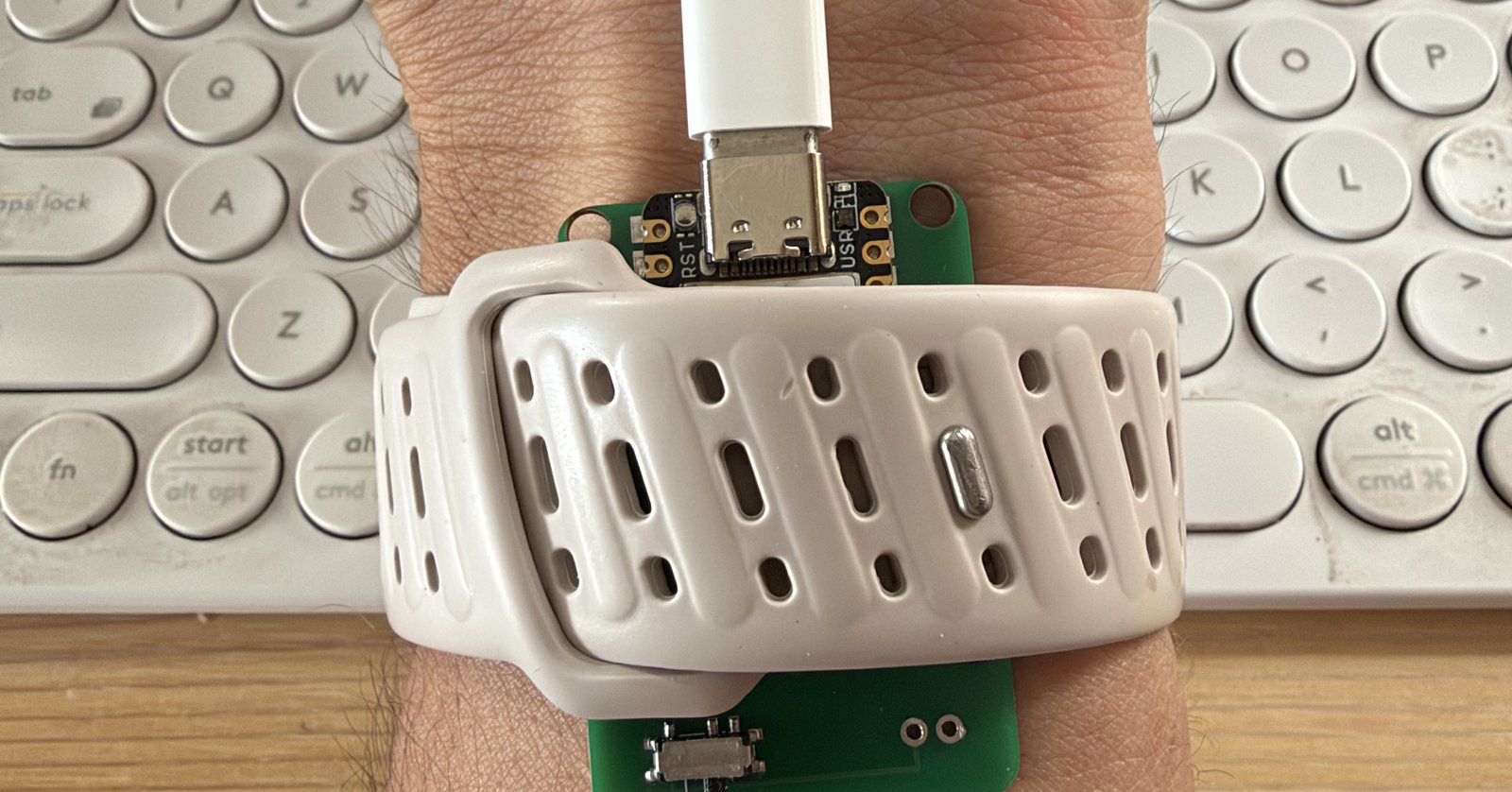
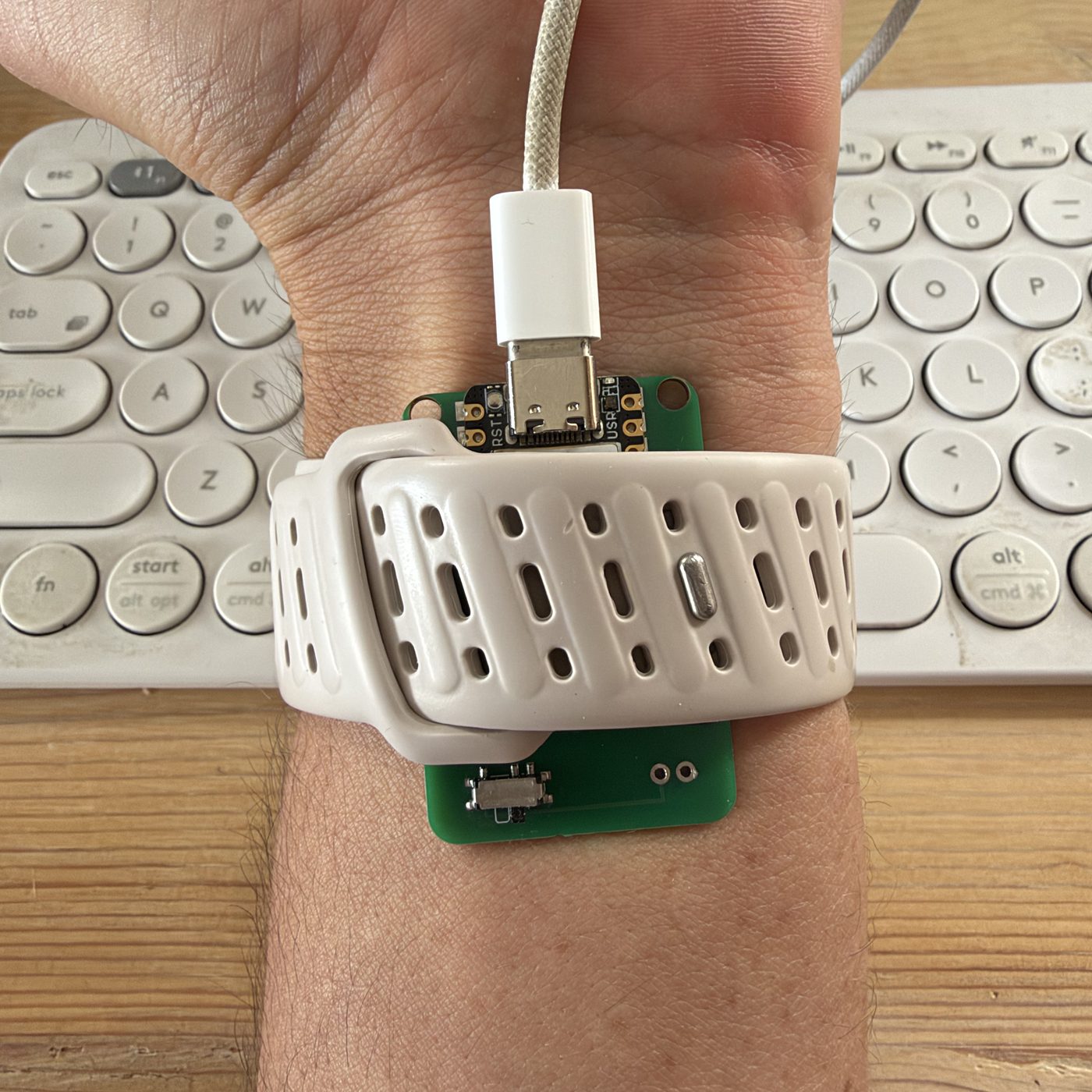
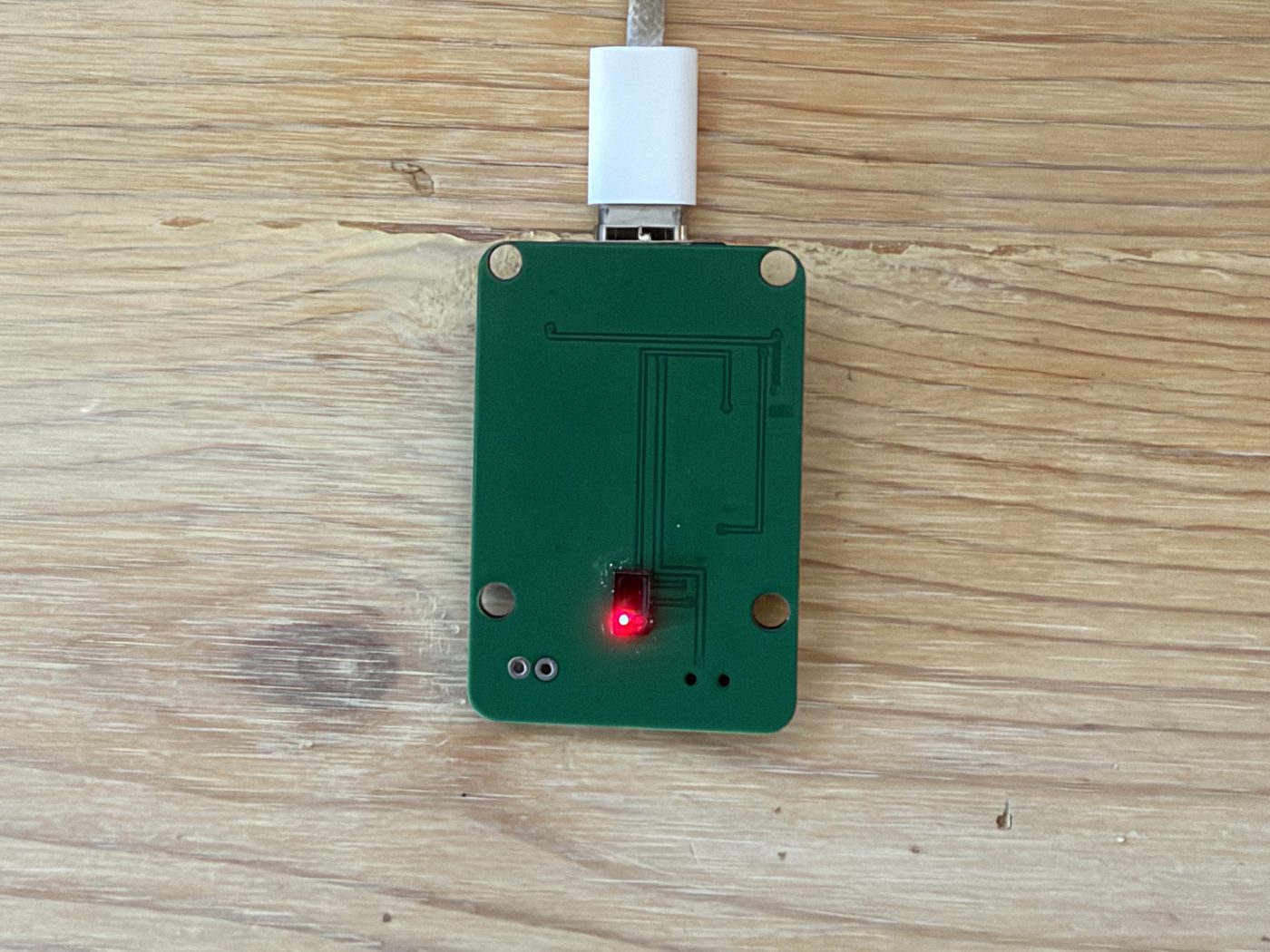
Here's the board we tested it on: a small heart-rate monitor built around a Bluetooth microcontroller module, a pulse sensor on the underside, and a slide switch. Tovan designed the board and a custom enclosure to fit it. Now the code that runs on it comes from Tovan too.
The first real test: a heart-rate monitor on my wrist
I strapped the board to the back of my wrist with a watch band and typed one message:
"Write the code for this board from scratch: show my live heart rate. The sensor is strapped to the back of my wrist, not a fingertip. Test it on my board until it reads a real resting heart rate."
A wrist is a hard place to read a pulse. The signal is a tiny ripple sitting on top of a lot of reflected light. After that message, my only job was keeping my arm still and pressing Ready when Tovan asked. Here's what it did on its own.
Checked the hardware first
Before writing a line: "Before I rewrite anything, let me confirm the sensor actually answers on the bus." It asked the sensor a direct question over the cable and got an answer back.
Measured my wrist before picking a single number
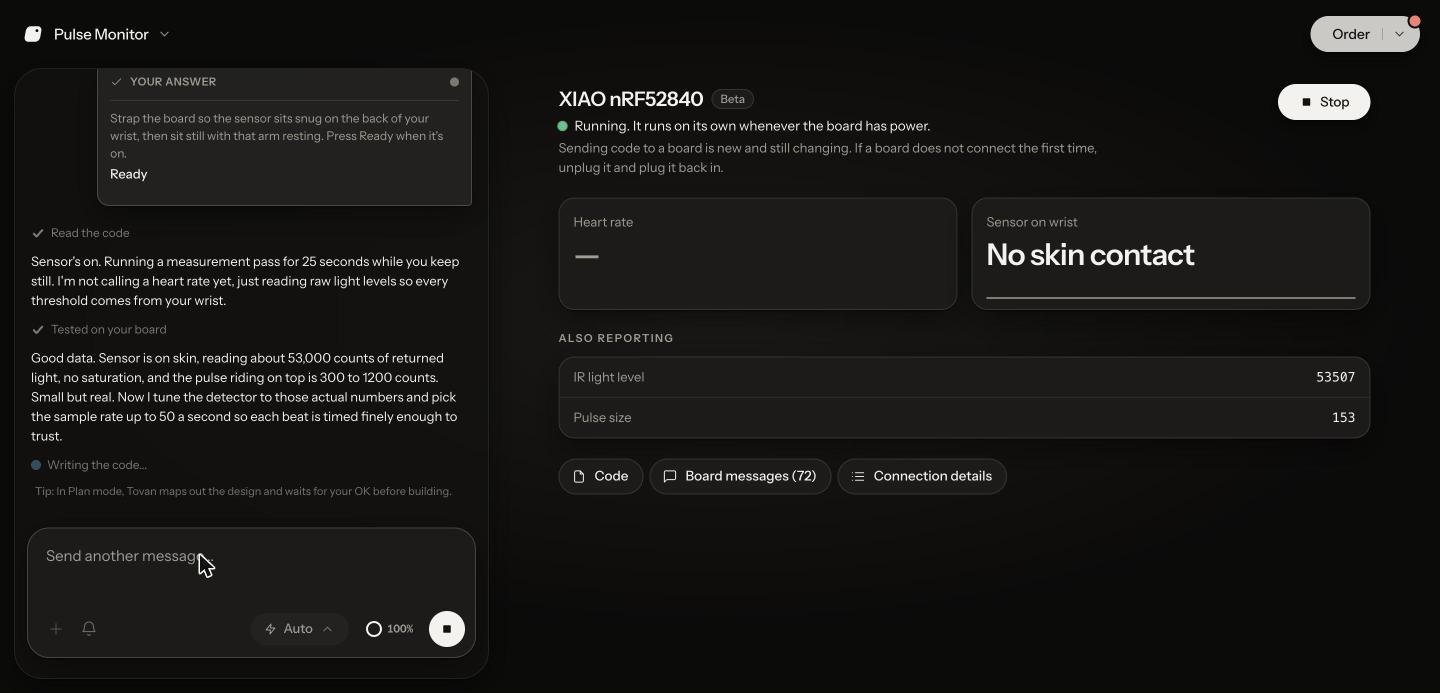
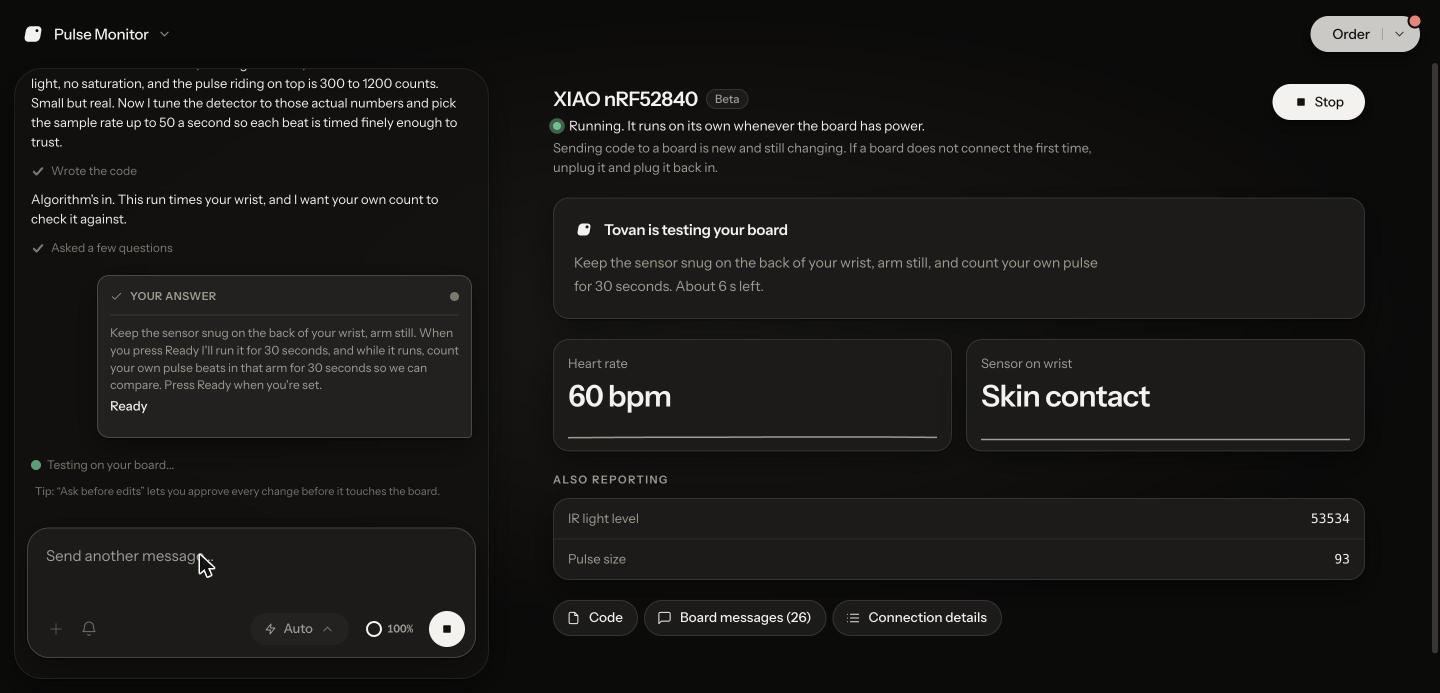
Its first program didn't try to show a heart rate at all. "I'm not calling a heart rate yet, just reading raw light levels so every threshold comes from your wrist." After 25 seconds: "Sensor is on skin, reading about 53,000 counts of returned light, no saturation, and the pulse riding on top is 300 to 1200 counts. Small but real." Then it tuned the detector to those numbers.
A live heart rate in about four minutes, checked against a human
About four minutes after my message, the Run view showed 60 BPM from my wrist. Then it asked me to count my own pulse for 30 seconds while it ran, so it had a human number to check itself against.
Found a bug by reading the chip, and fixed it
When the reading started dropping out, it went and read the sensor chip's own sample counter:
"Found it. The chip writes 52.65 samples a second, not the 50 I assumed. That alone skewed beat timing 5% high, and my beat clock counted samples I thought arrived but didn't."
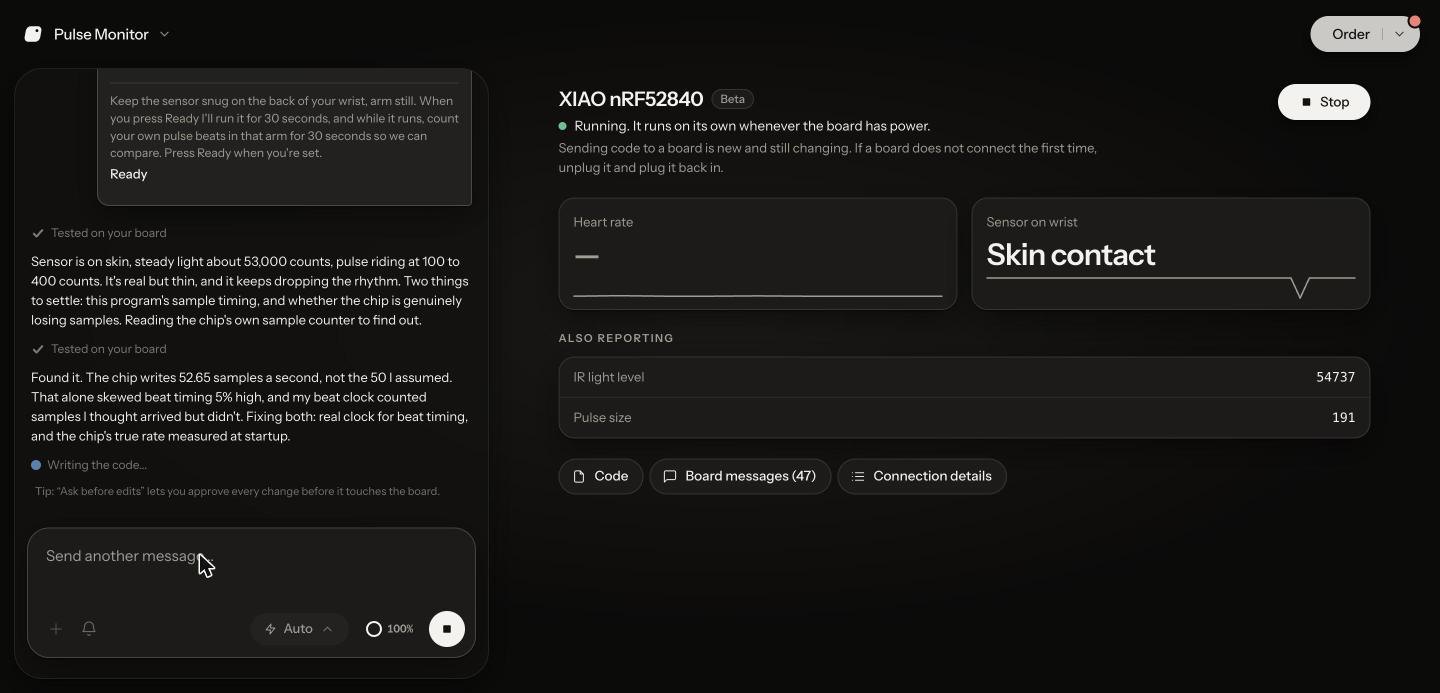
Nothing about the code looked wrong. The chip just doesn't run at exactly the rate its settings say, and the only way to know is to ask the hardware. It moved beat timing onto a real clock, measured the chip's true rate at startup, and sent the fix to the board. That's what a good engineer does at a bench, and it did it without me.
By the numbers
1 plain-English request.
About 4 minutes to a live heart rate on the wrist.
5 tests on the real board, all started by Tovan.
0 lines of code written by me.
Why this is a big deal
Getting a board made used to be the finish line, and then getting it to actually do something was a whole second project. You'd find the datasheets, set up a toolchain, write the code, and debug it against hardware you didn't design. That's usually where first-time hardware founders stall out. It's why bring-up gets its own stage in any honest PCB timeline.
Because Tovan designed the board, it already knows every pin, every part and every connection. So it can write code that fits the hardware from the start, and test it against the real thing instead of guessing. You go from an idea to a board, an enclosure and working firmware in the same place.
What you need
A computer with Chrome or Edge, and a USB cable. The first time, Run walks you through a one-minute setup. On this board: press the reset button twice, pick the drive that appears, and Run copies everything over.
A supported board: works with ESP32-S3, Raspberry Pi Pico and other RP2040 boards, and the XIAO nRF52840. ESP32-C3, ESP32-C6, RP2350 boards and nRF52840 modules are in beta.
A Tovan account. It works on the free plan and uses your normal usage allowance.
It's beta. Simple requests, like blinking a light when you press a button, are usually quick. Sensors can take a few passes, and Tovan runs those passes on the board itself. And the heart-rate monitor here is a prototype, not a medical device.
FAQ
Does Tovan write firmware now?
Yes, in beta. It writes the firmware for the boards it designs from a plain-language request, sends it over USB, and tests and fixes it on the real hardware.
Do I need to install anything?
No. You need Chrome or Edge on a computer and a USB cable. Run walks you through a one-minute setup the first time.
Will the code work the first time?
Often, for simple requests. For sensors, expect a few passes. Tovan runs those on the real board and fixes what it finds, so you're not the one relaying errors.
Can I edit the code?
You can read and copy it in the Code view. To change what the board does, ask Tovan in the chat.
Which boards does it work with?
It works with ESP32-S3, Raspberry Pi Pico and other RP2040 boards, and the XIAO nRF52840. ESP32-C3, ESP32-C6, RP2350 boards and nRF52840 modules are in beta.
What does it cost?
It's included, free plan too, and uses your normal usage allowance.
Board, enclosure and firmware, from one conversation. Describe what you want to build on Tovan and see how far it takes you.
0 comments