
When I was building my first hardware prototype, I did what anyone does. I Googled "how do I make a PCB" and landed on KiCad. Hundreds of tutorials, YouTube series, and forum threads all pointing the same direction. The message was clear. If you want to make hardware, learn KiCad.
So I did. I spent days watching tutorials before I could even start. Then came sourcing components, checking inventory, reading datasheets, adding footprints and symbols and 3D step files, and exporting board models into a separate CAD program just to design a case around it. When I finally received the board back from the manufacturer, I had made so many mistakes I had to repeat the whole loop. Multiple times, until I finally got it right.
It was a painful, expensive process.
Few people actually want to learn KiCad. They want a finished PCB. KiCad is just the means to that end, and for a long time it was basically the only accessible one. That is why it became the default answer.
But the default answer was set before the tooling changed. It is worth asking whether it still applies.
What KiCad actually is
KiCad is a professional, open-source PCB design suite that has been around for decades. It is genuinely good. Professional engineers use it to design boards that end up in real products, and it handles everything: schematics, layout, routing, 3D visualization, and the fabrication outputs you need to get a board manufactured. It has a large community behind it, so help is never far away.
It is also a real piece of software with a real learning curve. Getting comfortable enough to design a simple board can take days to weeks depending on where you are starting from. The workflow is not intuitive for a first-time user. You design in a schematic screen, then open a separate PCB screen, import parts, create a board outline. None of it is obvious.
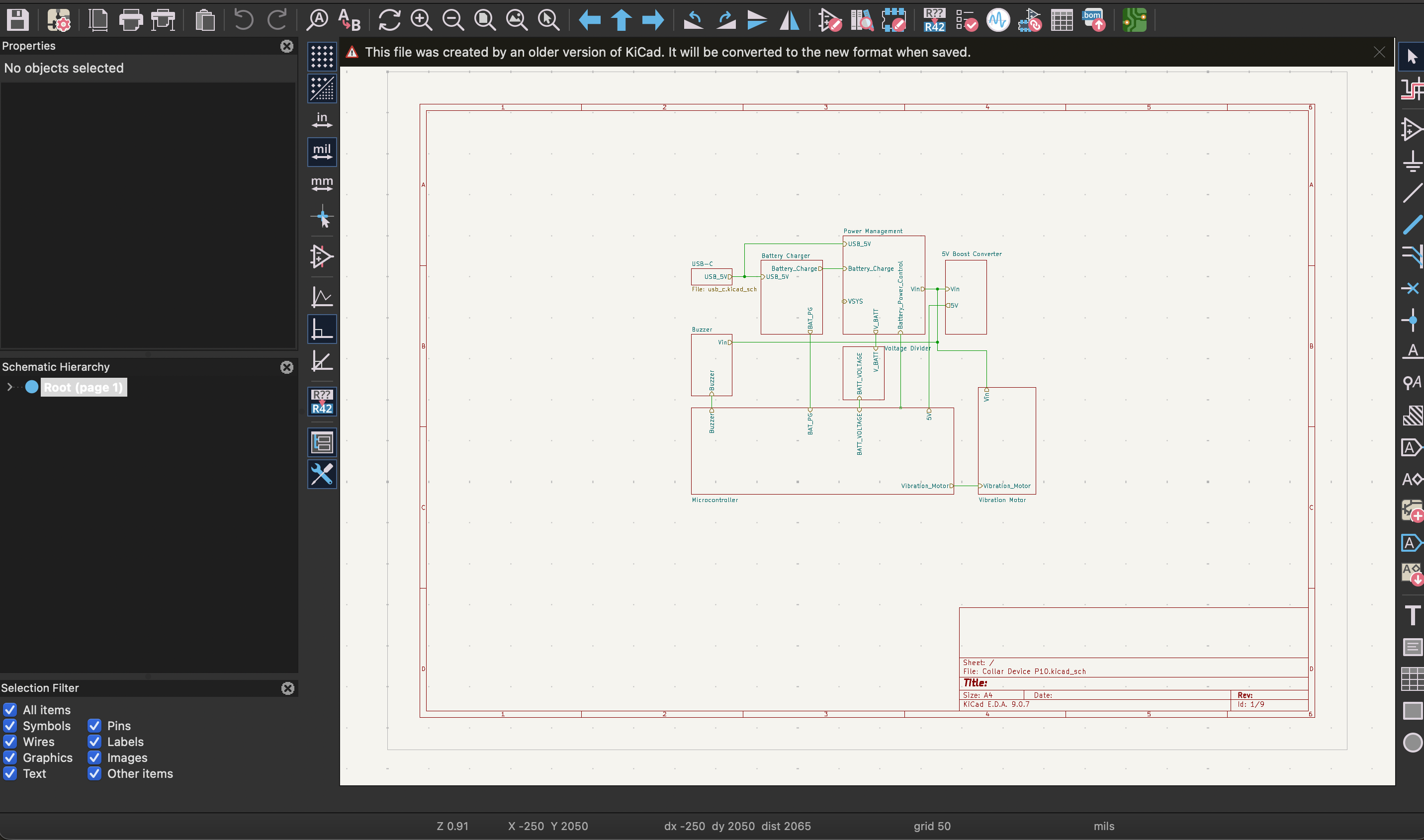
KiCad Schematic Window
That is not a knock on KiCad. Designing a PCB is genuinely complicated, and for a professional tool there are good reasons it works the way it does. It is also free and open source, which makes it hard to complain about. The issue is not what KiCad is. The issue is whether it is the right starting point for you.
The question nobody asks
When a founder asks "should I learn KiCad," what they are really asking is "how do I get my prototype built." Those are different questions, and conflating them has sent a lot of people, including myself, down an expensive detour.
There are other ways to get a prototype built. You can pay someone to do it. But the bootstrapping founder may not have that option yet, and learning the tool yourself always seemed like the accessible path. KiCad was just the tool everyone pointed to.
That made sense when it was the only accessible path. It is not anymore.
What has changed
AI-powered design tools now exist that can take a plain-language description of what you want to build and produce a manufacturable board in minutes. You describe the function, the constraints you care about, and the tool handles the rest, which parts to use, how to place them, how to route the connections.
That was not possible even six months ago. For the bootstrapping founder trying to get to a first prototype, there is now a real alternative to spending weeks in KiCad before you have validated a single assumption.
This is the gap Tovan was built to fill. You describe the hardware you want and it designs a real circuit board and a 3D-printable enclosure, without the complicated tooling or the learning curve.
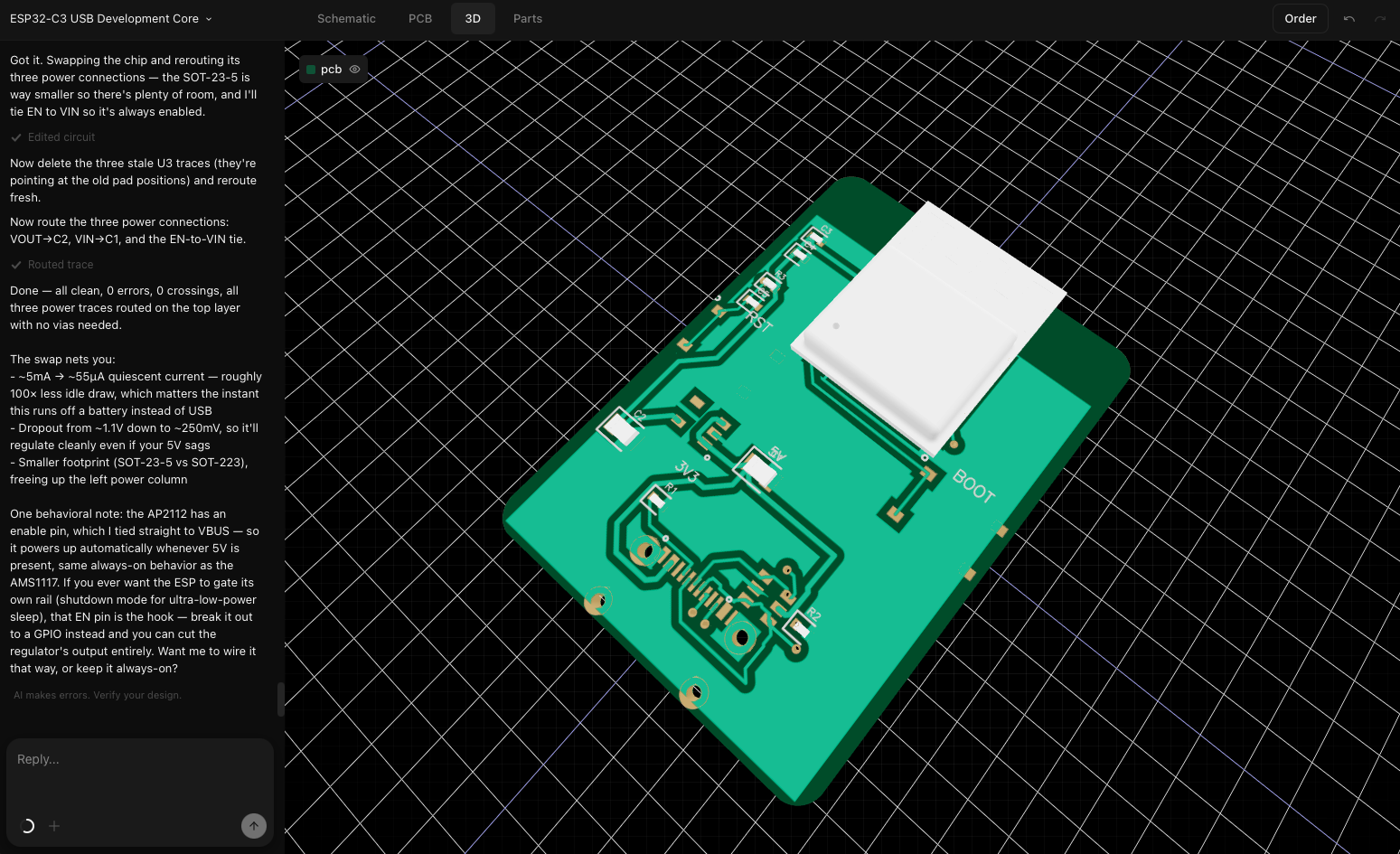
Tovan Editor Page
Who should still learn KiCad
To be clear, KiCad is still the right answer for a lot of people.
If you are an engineer who will be designing boards professionally or repeatedly, learn it. The investment pays off when you need full control over every decision and you are doing it constantly.
If you are working on safety-critical hardware like medical devices or aerospace, you need a human expert with full ownership of the design. That is not the place to hand the wheel to an AI.
If you want deep manual control over every layer of your board, KiCad is built for exactly that.
The reframe
KiCad is not going anywhere, and it shouldn’t. It is the right tool for engineers who need what it offers.
But it is no longer the only answer, and for a lot of founders it was never really the right one to start with. Burning weeks learning a professional design tool before you have validated your idea is a very expensive way to delay finding out if the idea works.
The question is not whether KiCad is worth learning. For the right person at the right time, it absolutely is. The question is whether right now is the right time for you, and what you are actually trying to accomplish.
If the answer is getting a prototype in your hands as fast as possible, learning KiCad is probably not the best use of your time.
0 comments