
You designed your board in Tovan, ordered it, and it just arrived at your door. Now what?
Plugging it straight into power without checking it first is a good way to release the magic smoke, engineer slang for frying a board. AI isn't perfect, and Tovan can make mistakes, so before you power anything on, you want to do what hardware engineers call bring-up: visually inspecting the board and validating that inputs and outputs match your design requirements.
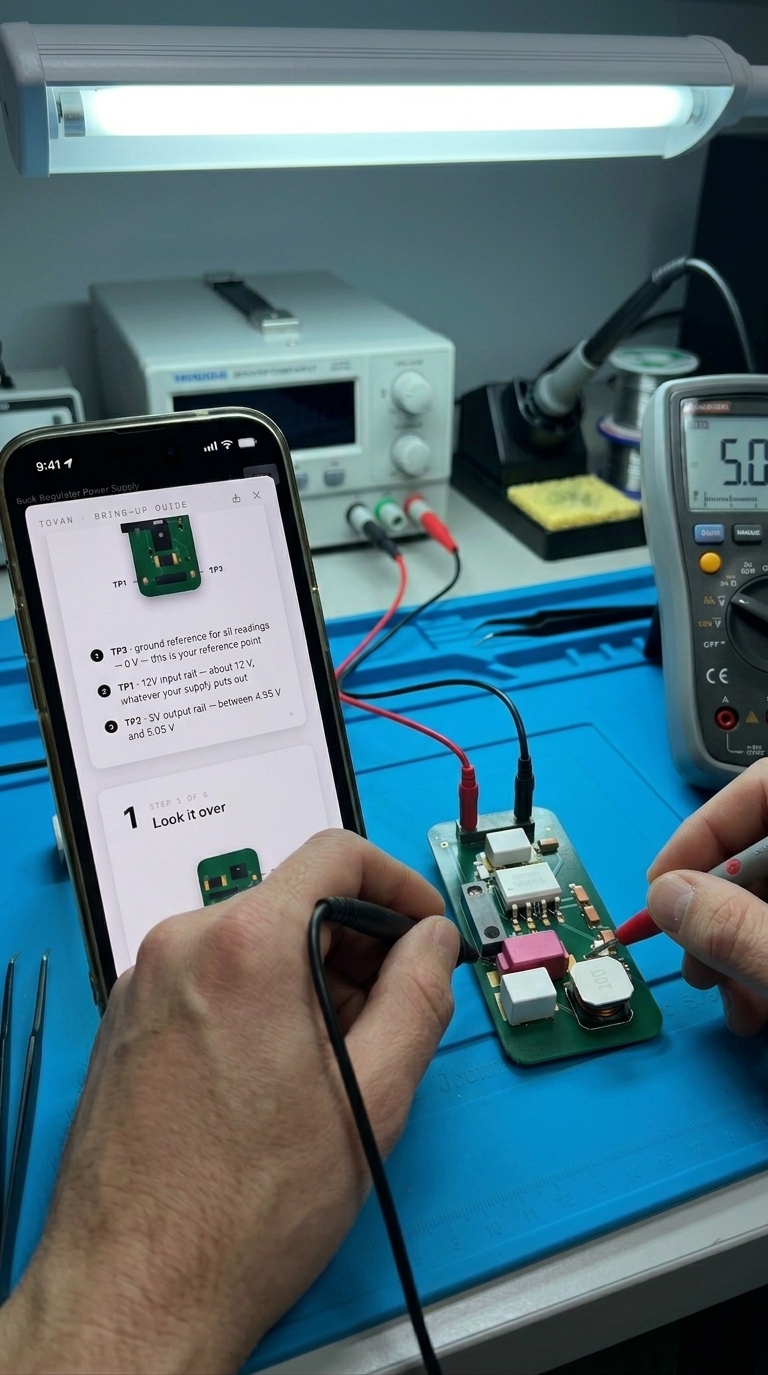
Board Bring-Up
Bring-up is a standard step for any hardware engineer, but it usually means digging back through your own schematics and datasheets to remember what to check. That's a lot to ask of someone building their first board.
We're introducing a new feature that helps with this: a bring-up guide generated specifically for your board (AI-generated, so always give it a read-through yourself), so you know exactly what to check before you plug it in.
The guide walks through your board's specific inputs, outputs, and power requirements, and lays out what to inspect before you apply power for the first time. You can view it directly in Tovan alongside your design, or download and print it if you'd rather have it next to you on the bench.
Why does this matter? Bring-up is where hobbyists and first-time builders are most likely to damage a board, not because the design is wrong, but because they don't know what to check first. A guide tailored to your specific board turns that uncertainty into a checklist, so you can power on with confidence instead of guessing.
The bring-up guide is available now for every board you build in Tovan.
0 comments