We can't help ourselves. We should be focusing on marketing but we are shipping three new ways to work with Tovan today. These are things we have wanted from the start, but never quite felt the need for. You know the feeling. There is something you keep telling yourself you do not need because the one you have still works, until it finally breaks and you get to buy the upgrade. Is that just us? Either way, these are three long-wanted upgrades we finally got to build, because well, things were breaking.
Here we go.
Work modes
One of the most frustrating interactions you can have with Tovan, or honestly with anyone, is explaining what you want, having a clear expectation for what happens next, and then watching them go off and do something else entirely. This wastes time and money, and we have seen it happen too many times in interactions with Tovan.
We think these three new working modes will help relieve a lot of that pain.
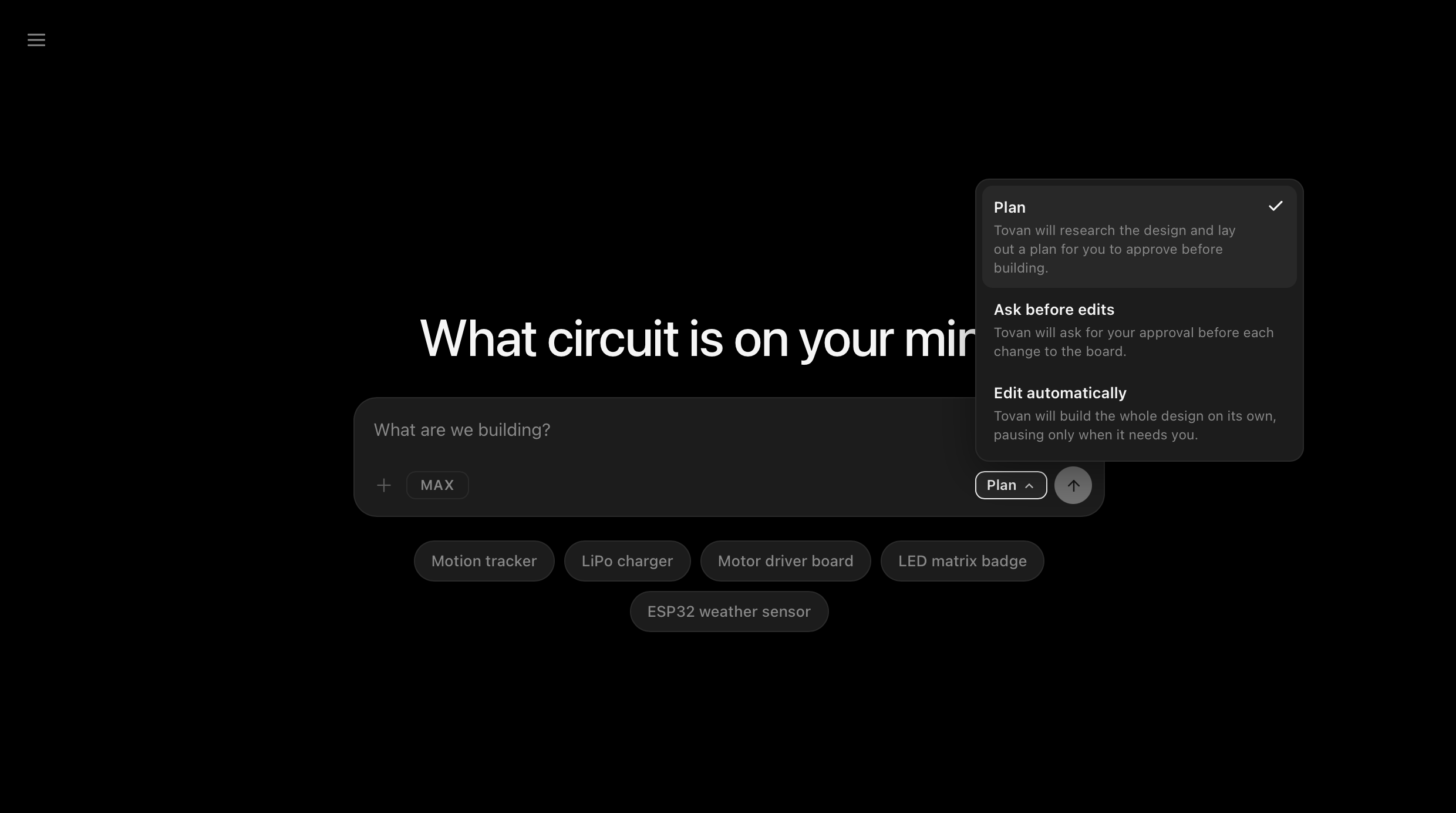
Work Modes
Plan mode is where you start when you want to nail down the specifics before anything gets built. The agent works with you to understand exactly what you are trying to build and agrees on a plan before it touches anything. Tovan will ask follow-up questions to get to the root of the idea. We have carefully tuned how many questions it asks so it does not become annoying. Let us know if we have found that balance. Once you are happy with the plan, you confirm it and work begins. There is also now a visible checklist the agent works through once a plan is accepted, so you can watch its progress in real time. We are hoping the checklist also helps you gauge how long a task will take, which is a separate problem we are still chewing on.
Auto mode lets edits happen automatically. Once the plan is set, the agent executes without stopping to check in. Good for when you know what you want and trust the direction.
Ask Before Edit mode is for when you want to keep a close eye on things. The agent pauses before each edit and waits for your approval before moving forward. Nothing happens without your say so.
You can start in any mode and switch between them at any point in a conversation.
Together these give you more visibility into what the agent is doing and real control over whether it keeps going. Less wasted tokens, fewer wrong turns, more of what you actually intended to build.
And yes, these modes may be loosely inspired by Claude Code. But why fix what is not broken? If you want originality, the next feature should scratch that itch.
Project Refrencing
A lot of Tovan users are designing boards that need to work together. A carrier board and a daughter board. A main controller and a sensor module. Until now, each project lived in its own silo.
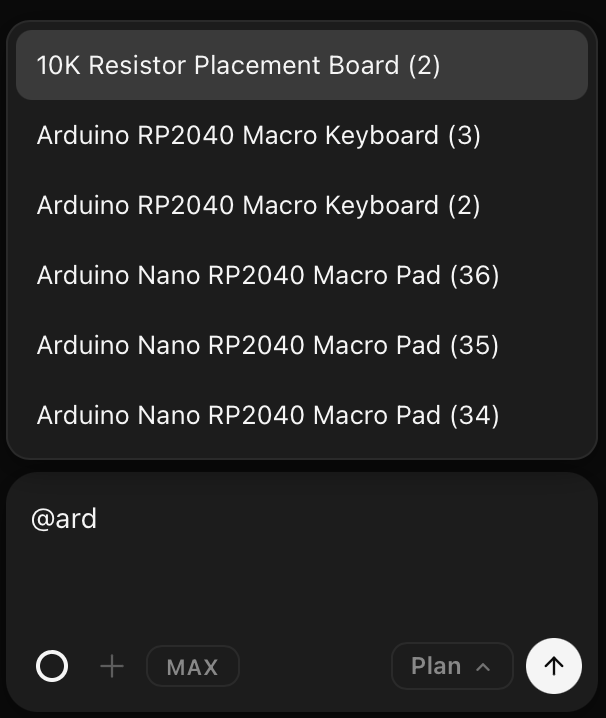
Reference a project from the chat
Tovan now has awareness of your other projects. Type the @ symbol in the chat, select an existing project from the dropdown, and Tovan can see it, understand how the two designs relate, and factor that into what it builds. If you are designing a board that needs to interface with something you already made, Tovan now knows what that something looks like.
There are a number of ways people are already putting this to use. Copying a project to spin up a version two. Referencing a connector to make sure two boards are actually compatible. Pulling in a specific piece of an existing design instead of redoing the work. We have been wanting to add this one for a while and we are pretty excited it is finally here.
Multiple conversations per project
Previously, a project in Tovan was a single conversation. Simple, but it had a real cost. Long-running conversations introduce what is sometimes called context rot, where the agent starts performing worse the longer a conversation goes on. Starting fresh helps, but starting fresh used to mean losing your project context entirely.
We fixed this. Projects now support multiple conversations. Each conversation has full awareness of the project it belongs to, but starting a new one gives the agent a clean slate to work from. Better performance without losing context. If a conversation is getting long or the agent seems to be drifting, start a new one in the same project and pick up where you left off.
More coming
Three new ways to build with Tovan. More visibility and say in the agent's work through work modes, and more flexibility in how you get things done with project referencing and multiple conversations per project.
0 comments